DevOps for Developers: A 2026 Guide to CI/CD, Containers, and Automation
Stop fearing the "Ops" side of the industry. Here is a straightforward breakdown of what DevOps actually means for a software developer, covering CI/CD, Docker, and the essential mindset shift you need.
Every single week, I stand in front of a class of software engineers, students, and IT professionals, and I hear the same question:
"Teacher, I'm a developer. Do I really need to learn DevOps? And what exactly does it even mean?"
It is a completely fair question. For the last decade, the software industry has been separated into two distinct tribes: Developers (who write the code) and Operations / Sysadmins (who deploy and maintain the servers).
However, in 2026, that wall has completely collapsed. The modern software engineer is expected to be a hybrid. If you want to advance your career, double your earning potential, or simply understand why your application crashed on a live server, learning DevOps is no longer optional—it’s mandatory.
As a technical trainer who teaches DevOps and AI engineering, let me demystify the jargon and explain exactly what DevOps means for a developer in the real world.
Section 1: What DevOps Actually Is (Hint: It's Not a Job Title)
DevOps is not a programming language, and it is not a single tool.
DevOps is a cultural and technical movement that bridges the gap between development and operations. The core philosophy is simple: Developers should understand how their code runs in production, and operations teams should understand how the code is built.
If you are a developer, adopting a DevOps mindset means you care about how your code gets from your local laptop to the end-user's browser. It means you can diagnose a server error without panicking, and you can set up an automated pipeline that tests and deploys your code automatically.
Section 2: The "Big Three" Pillars of DevOps
To implement DevOps in your daily workflow, you don't need to become a Senior Sysadmin overnight. You just need to understand three foundational pillars:
Pillar 1: Continuous Integration & Continuous Deployment (CI/CD)
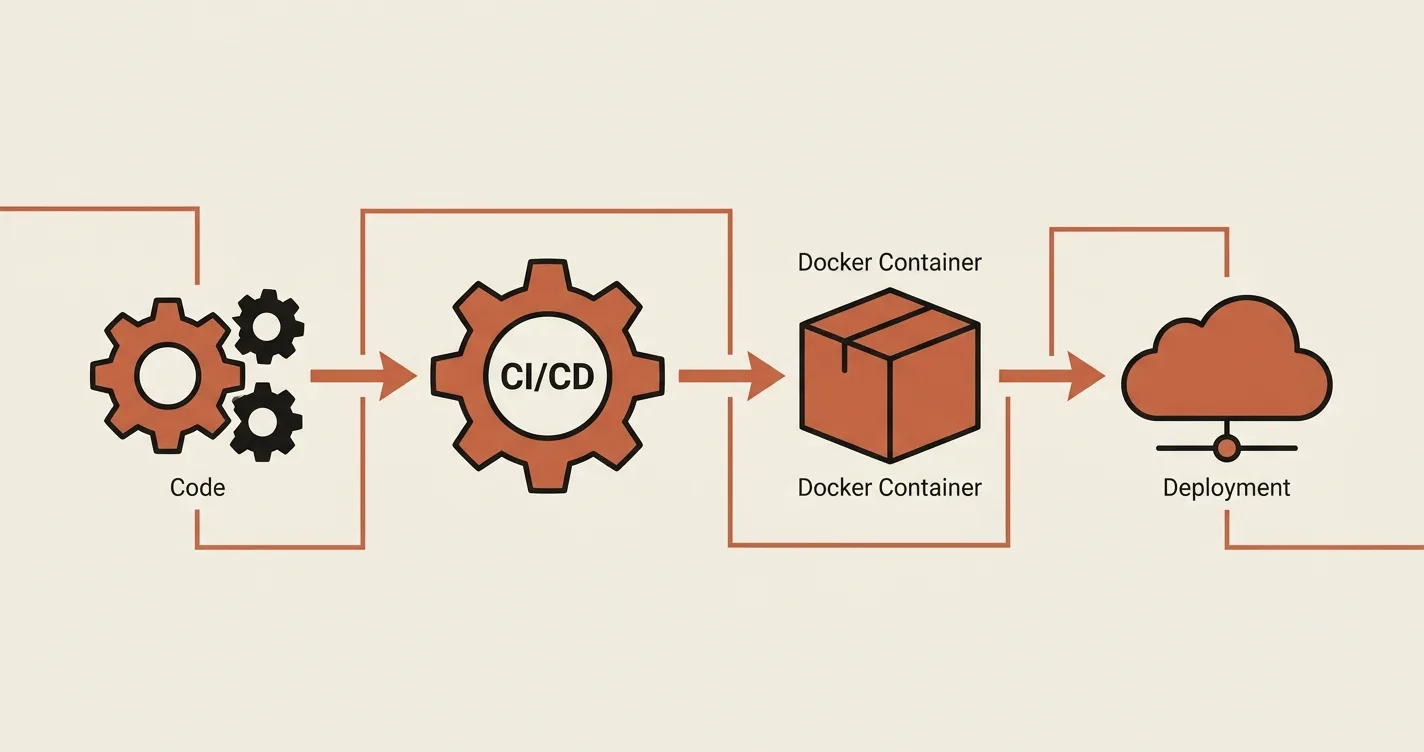
CI/CD is the backbone of modern software delivery. It is the automated pipeline that runs a series of checks every time you push code to GitHub.
- Continuous Integration (CI): When you push your code, the pipeline automatically runs your unit tests, checks for syntax errors, and builds the application. If a test fails, the pipeline stops, and the developer is notified immediately. This prevents bugs from ever reaching the live server.
- Continuous Deployment (CD): Once the CI tests pass, the pipeline automatically deploys that new version to your production server. No manual FTP uploads. No panicked late-night server restarts.
Pillar 2: Containerization (Docker)
Containers have revolutionized how we think about hosting. In the past, a developer would say, "It works on my local machine, but it's broken on the server!" Docker solves this by packaging your application, its dependencies (Python/Node/PHP versions), and its configuration into a single standardized "container" or box.
If you can run a Docker container on your local Mac/Windows, you can run it exactly the same way on a $10/month VPS or a massive cloud cluster.
Pillar 3: Infrastructure as Code (IaC)
The final pillar is managing your servers using code instead of clicking through a cPanel or SSH terminal. Tools like Terraform or Ansible allow developers to write configuration files that define exactly what the server should look like (e.g., "install PHP 8.3, set up MySQL, open port 8080").
Section 3: Why Developers Must Learn DevOps in 2026
If you are a student, an early-career developer, or an industry professional, here is why you need to start paying attention to DevOps today.
1. The "Full-Stack" has Expanded: A few years ago, a full-stack developer just knew React + PHP/Node. Today, a full-stack developer is expected to know how to Dockerize an app, debug a Kubernetes pod, and write a GitHub Actions YAML file for a CI/CD pipeline.
2. You Will Understand the Hosting Constraints: I teach my students to build applications that actually run on cheap shared hosting. When you understand the DevOps side of things, you stop throwing code at the wall and hoping it sticks. You start building lightweight, deployable apps because you understand the resources your server has. This was the exact mindset I applied when building the Web Exam Platform. The server-side timer sync, caching layers, and optimized database queries were all influenced by the fact that I knew exactly how the application would be deployed on a standard VPS.
3. The Job Market Demands It: "DevOps Engineer" is currently one of the highest-paying tech roles in the world. But even if you don't want to become a dedicated DevOps engineer, being a developer who understands Docker, CI/CD, and cloud infrastructure makes you extremely valuable to hiring managers and clients.
Section 4: Real-World Production Examples
Let me give you concrete examples of where DevOps and deployment pipelines have been critical in my own projects.
When building the Almuneer LMS platform, I used a controlled deployment strategy. Because it was hosted on shared hosting, I followed the strict "Build Assets Locally" rule. DevOps isn't just about fancy cloud servers; it's about knowing when not to run npm run build on the production server to save memory and prevent crashes.
For Chandi World, the luxury jewelry platform, the architecture required a split backend (NestJS) and frontend (Next.js). Without a solid understanding of CI/CD and deployment pipelines, managing the updates for two separate codebases would have been a nightmare.
Section 5: How to Start Learning DevOps as a Developer
You don't need to start by reading a 1,000-page textbook. Here is the exact roadmap I give my students:
- Start with Git & GitHub Actions: Stop deploying via FTP. Start writing a basic CI pipeline in GitHub Actions that runs
composer installornpm installwhen you push code. - Dockerize a Simple App: Take a basic Laravel or Next.js project. Write a
Dockerfileand get it running inside a Docker container on your local machine. Just seeing your app run inside a container demystifies 80% of the jargon. - Set up a Free Cloud Server: Use a $6/month VPS. SSH into it. Deploy your containerized application manually. Break it. Fix it. That repetition builds confidence.
The Bottom Line
DevOps doesn't have to be scary. It is simply the next step in the evolution of a software engineer. As I always tell my students:
"If you can write a SELECT query in SQL, you can write a Dockerfile. If you can create a for loop in Python, you can write a GitHub Actions workflow. The barrier to entry is much lower than you think."
If you are ready to get hands-on DevOps training, or if you want a consultation on how to build a robust deployment pipeline for your next custom web application, feel free to check out my engineering portfolio or reach out to me directly. I’m always happy to mentor developers transitioning into DevOps and AI.